
Welcome to Partition Creation and Configuration Guide
To protect your data effectively you have to create a separate partition. Follow one of the guides below to create a separate partition.
Video Guide
Step-by-Step Guide
X-PHY® Endpoint Security: Partition Creation and Configuration
- When X-PHY® PC Application starts up, follow the step by step instructions to create a new partition.

Step-1: Open Disk Management
- Press Windows + X or right click on the window icon and select Disk Management from the menu.
- In the Disk Management window, you will see a list of all the drives connected to your computer.

Step-2: Shrink an Existing Volume
- Identify the drive where you want to create a new partition.
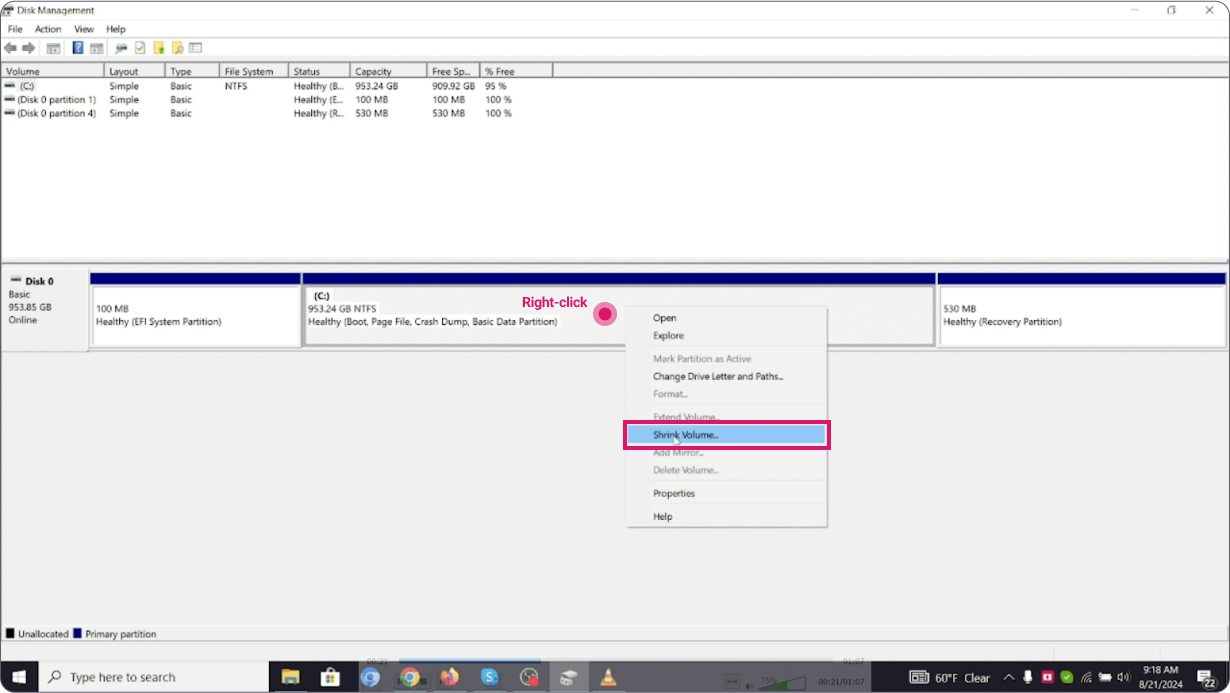
- Right-click on the drive and select Shrink Volume.
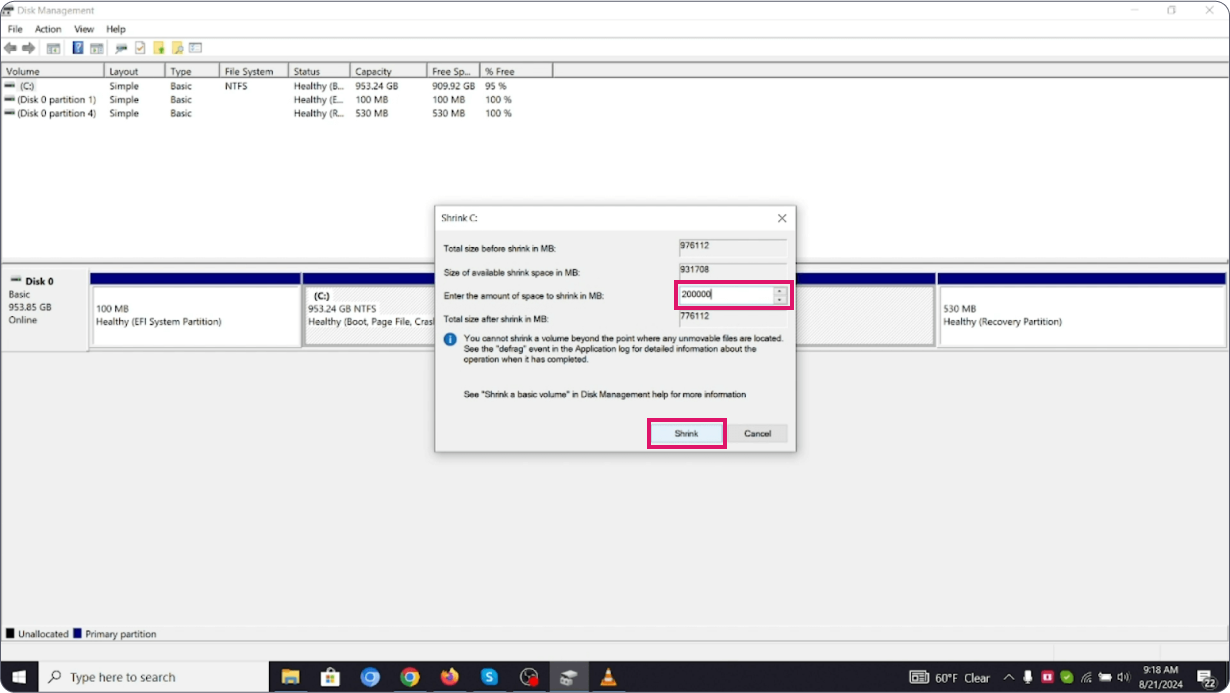
- Enter the amount of space you want to allocate for the new partition and click Shrink. This will create unallocated space on the drive.
Step-3: Create A New Partition
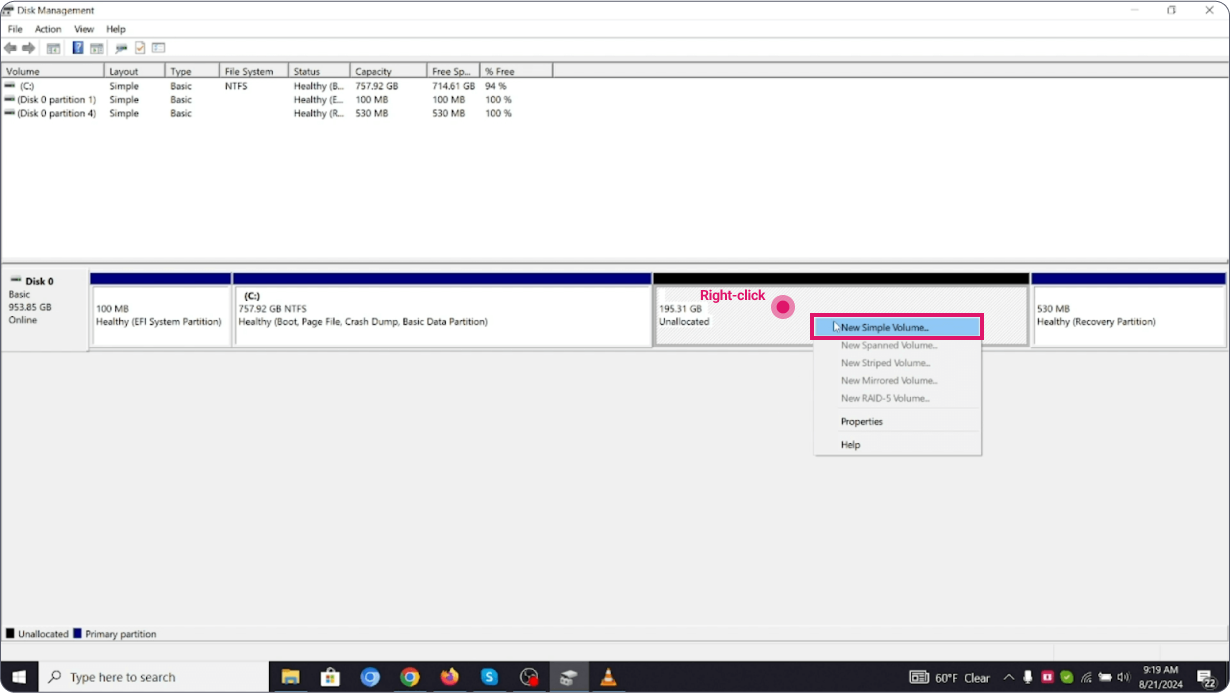
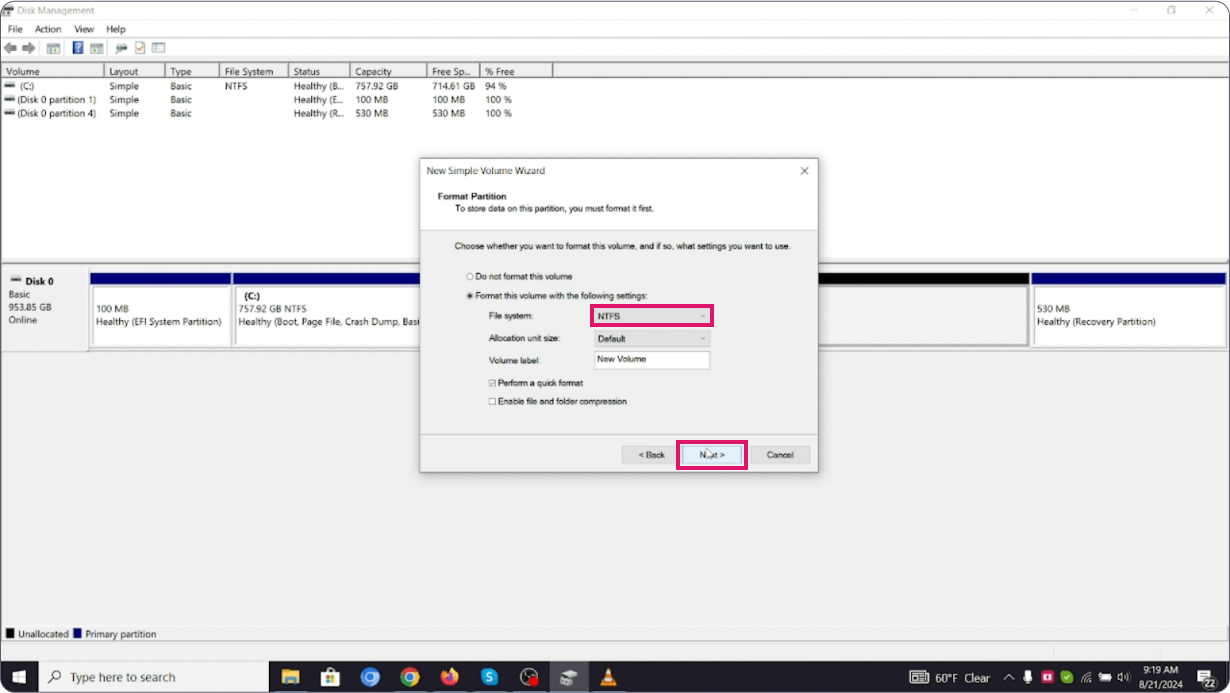
- Right-click on the unallocated space and select New Simple Volume.
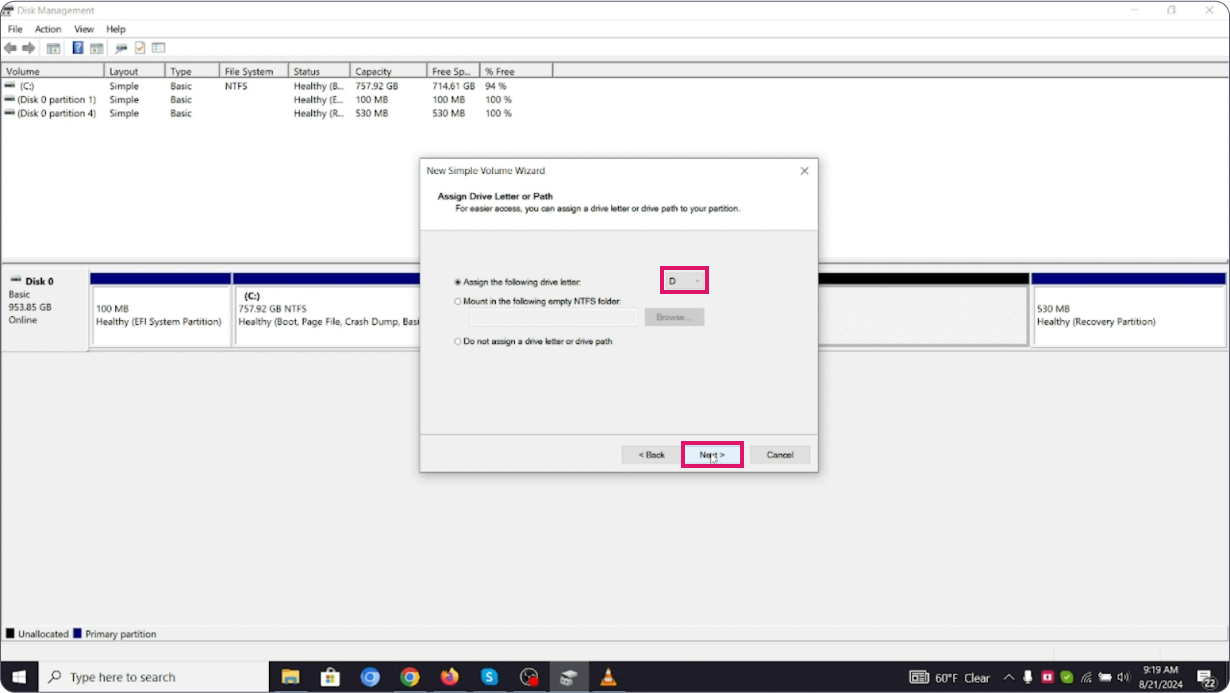
- Follow the prompts in the New Simple Volume Wizard. Assign a drive letter.
- Format the partition with the NTFS file system.
- Optionally, label the partition (e.g., “X-PHY® Secure”).
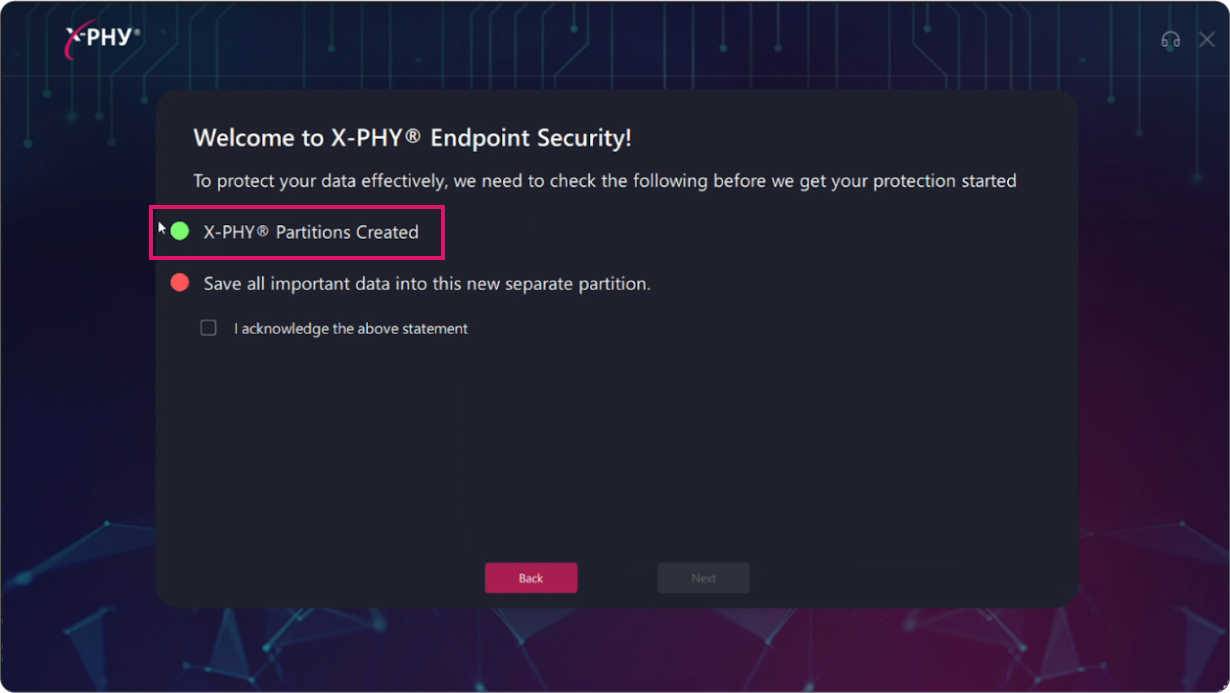
- Go back to the “X-PHY® PC Application” to continue. Once new partitions are successfully created, the indicator will turn green.
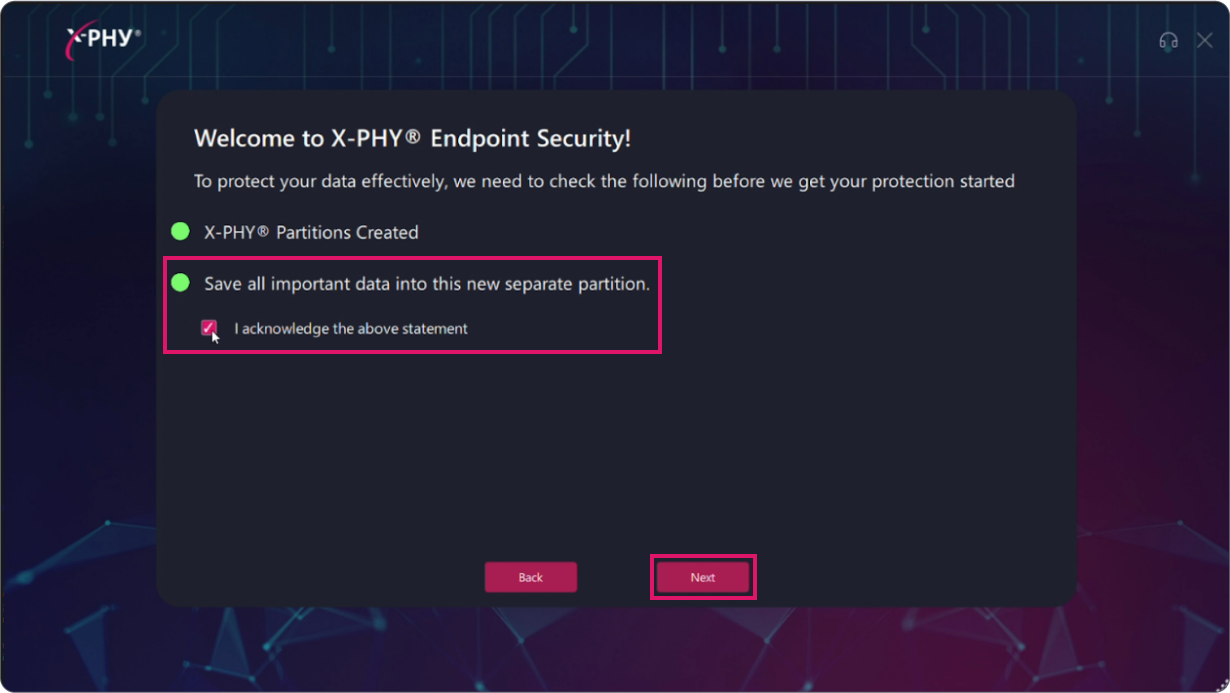
- Tick “I acknowledge the above statement” to complete the checklist. Click “Next” to proceed.
Step 4: Access the X-PHY® PC Application Dashboard
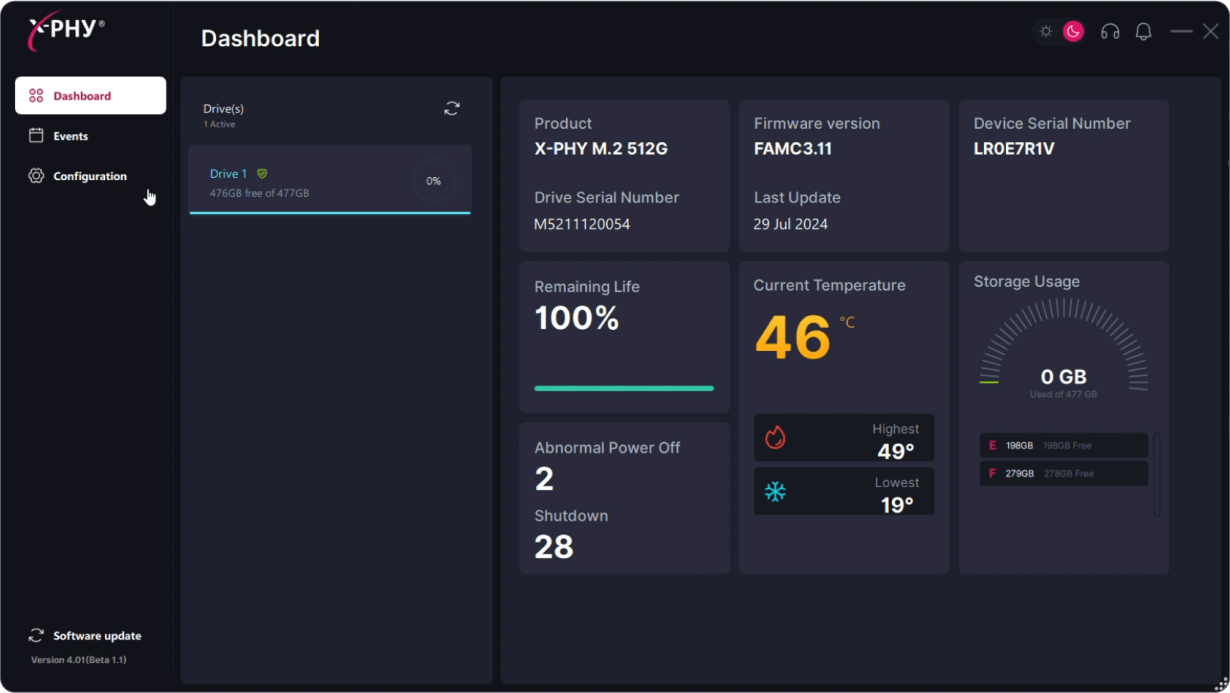
- After completing the partition creation, you will now have access to the X-PHY® PC Application Dashboard, Events Log, and Configuration.
Step 5: Enable X-PHY® Endpoint Security Features
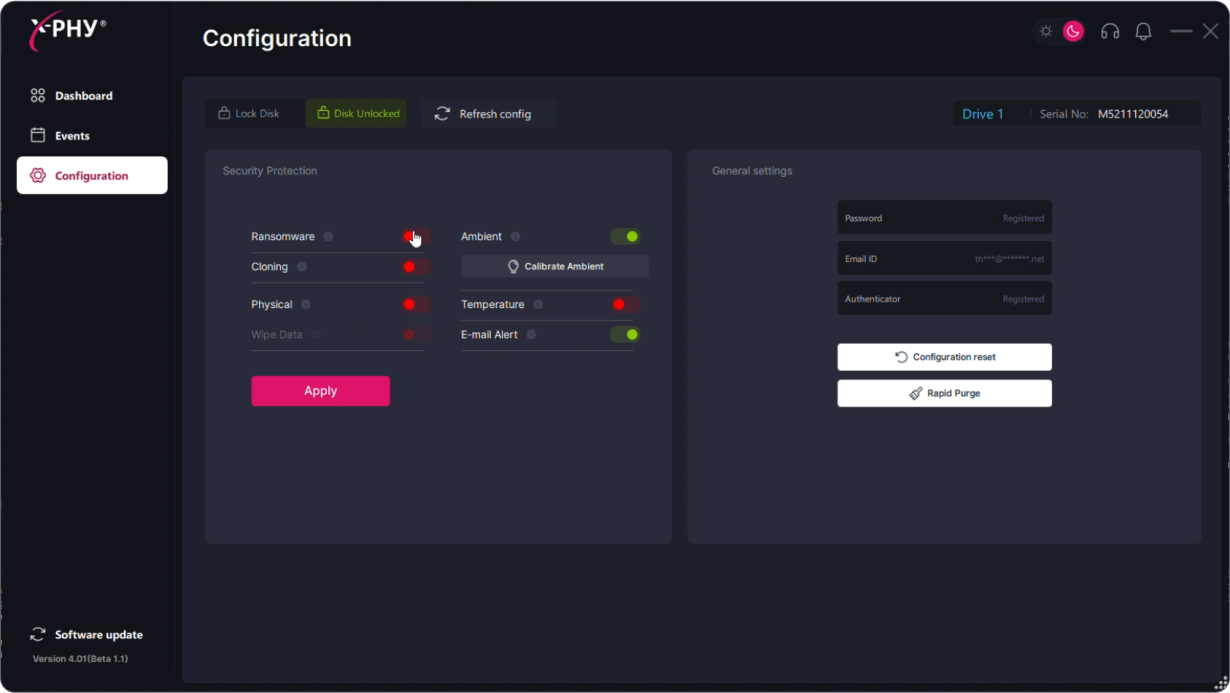
- Navigate to the Configuration section to enable the X-PHY® Endpoint Security features. It is recommended to start by enabling ransomware protection.
- After configuring the security features, save the changes by entering the password and 2FA prompts that were set during the initial registration of X-PHY® Endpoint.
By following these steps, your system should be properly secured with X-PHY® Endpoint Security.